



Close Menu
    What's Hot
    What is the iPhone to Android Data Transfer Tool?

    What is the iPhone to Android Data Transfer Tool?

    December 17, 2025
    PTA Sets Strict Security Rules for Safe 5G Rollout in Pakistan

    PTA Sets Strict Security Rules for Safe 5G Rollout in Pakistan

    December 17, 2025
    The Ultimate Guide to Using a Hair Mask for Salon-Quality Results

    The Ultimate Guide to Using a Hair Mask for Salon-Quality Results

    December 17, 2025

    Subscribe to Updates

    Get the latest creative news from FooBar about art, design and business.

    Facebook X (Twitter) Instagram
    • News
    • Entertainment
    • International
    • Sports
    • Trends
    • Gold Prices Today
    Facebook X (Twitter) Instagram
    Pakistan Truth
    • News
    • Entertainment
    • International
    • Sports
    • Trends
    • Gold Prices Today
    Pakistan Truth
    You are at:Home»Uncategorized»How to Remove a Blank Page in Word: The Ultimate Guide
    Uncategorized

    How to Remove a Blank Page in Word: The Ultimate Guide

    Farhan QureshiBy Farhan QureshiDecember 16, 2025Updated:December 17, 2025No Comments3 Mins Read
    Facebook Twitter Pinterest LinkedIn Tumblr Email
    How to Remove a Blank Page in Word: The Ultimate Guide
    Share
    Facebook Twitter LinkedIn Pinterest Email

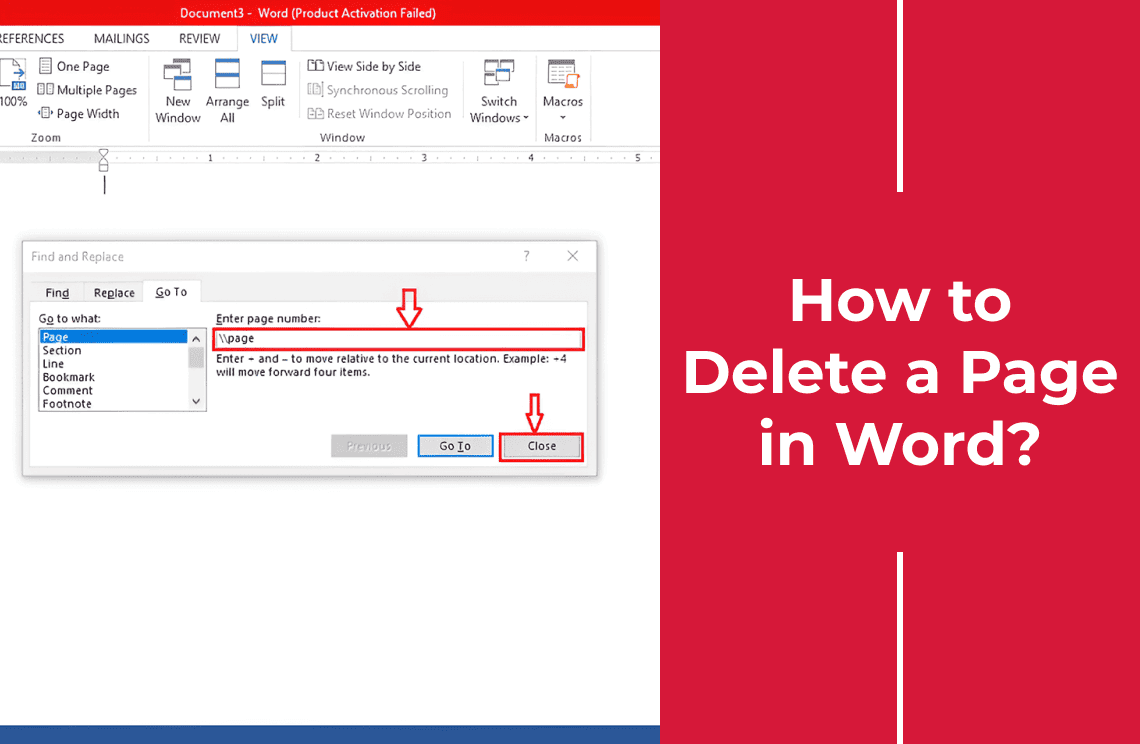
    How to delete a blank page in word: The ultimate guide.

    We have all been there. You write a professional paper, a resume, an assignment and press a print button or save as a PDF only to find a mysterious unreadable blank page at the end (or in the middle) of the paper.

    The more times you press the back space button, the more it does not want to vanish.

    The positive thing is that the page is not haunted, it only has some hidden formatting. The following are the steps that can be followed to locate and erase that blank page permanently.

    Method 1: The “Show/Hide” Method 

    The most common reason for a blank page is hidden paragraphs or page breaks that you cannot see. To fix this, you need to make the invisible visible.

    1. Turn on Paragraph Marks

    Go to the Home tab in the ribbon. Look for the “Paragraph” section and click the Show/Hide icon that looks like a backward ‘P’ (¶).

    Keyboard Shortcut: Ctrl + Shift + 8 (Windows) or Command + 8 (Mac).

    2. Identify the Culprit

    Once clicked, you will see symbols all over your document. Look at the blank page. You will likely see one of two things:

    A series of empty paragraph marks (¶) running down the page.

    A specific marker that says Page Break or Section Break.

    3. Delete the Formatting

    If it’s empty paragraphs: Highlight all the ¶ marks on the blank page and press Delete.

    If it’s a Page Break: Click directly before the words “Page Break,” and press Delete.

    Method 2: The Navigation Pane

    If you prefer a visual overview of your document to spot blank pages, use the Navigation Pane.

    Read Also:  ‘Mera Ghar Mera Aashiyana’ Scheme 2025: All Details

    Go to the View tab in the top menu.

    Check the box marked Navigation Pane.

    A sidebar will appear on the left. In that left-hand sidebar, clicking on the Pages tab.

    The thumbnails of all the pages in your document will appear. The thumbnail of the blank page is to be picked.

    Keep on pressing the Delete or Back space key until the page vanishes.

    Method 3: The “Table at the End” Problem

    This is the trickiest scenario. When your document has the end of Table, word insists on the addition of empty paragraph in the end of the table. With that table all the way to the bottom of the page, that required blank paragraph will be forced to the other page, leaving you with a blank sheet that can not be deleted.

    The Fix:

    As you cannot remove this last paragraph, you must make it very small, so that it can occupy the former page.

    Turn on Paragraph Marks (¶) so you can see the empty paragraph after the table on the blank page.

    Highlight that solitary paragraph mark.

    Go to the Home tab and change the Font Size to 1.

    Press Enter.

    The paragraph will become so small that it should snap back up to the bottom of the previous page, removing the blank sheet.

    Method 4: Saving as PDF 

    If you are in a rush and simply need to send the document without the blank page, you can exclude it during the export process.

    Go to File > Save As.

    Read Also:  How to Activate HBL Debit Card?

    Choose PDF as the file format.

    Click Options.

    Under “Page range,” select Page(s) From: and enter the range of pages you actually want (e.g., 1 to 5), leaving out the blank page 6.

    Click OK and Save.

    Share. Facebook Twitter Pinterest LinkedIn Tumblr Email
    Previous ArticleHuawei Nova 15 Series Launch Date, Design, and Specifications Revealed
    Next Article Quinoa in Pakistan: What Is It Called and How Is It Used?
    Farhan Qureshi
    • Website

    Farhan Qureshi is a political analyst who writes about science policies and national funding programs. His work focuses on the intersection of governance, innovation, and public policy, highlighting how scientific advancement shapes national development.

    Related Posts

    How to Scan a Wi-Fi QR Code

    How to Scan Wi-Fi QR Code

    December 12, 2025
    What is a Postal Address

    What is a Postal Address? Learn How to Write it

    December 4, 2025
    How to Unsubscribe Zong Packages

    How to Unsubscribe Zong Packages

    December 3, 2025
    Leave A Reply Cancel Reply

    Latest Posts
    What is the iPhone to Android Data Transfer Tool?

    What is the iPhone to Android Data Transfer Tool?

    December 17, 20251
    PTA Sets Strict Security Rules for Safe 5G Rollout in Pakistan

    PTA Sets Strict Security Rules for Safe 5G Rollout in Pakistan

    December 17, 20251
    The Ultimate Guide to Using a Hair Mask for Salon-Quality Results

    The Ultimate Guide to Using a Hair Mask for Salon-Quality Results

    December 17, 20251
    Quinoa in Pakistan: What Is It Called and How Is It Used?

    Quinoa in Pakistan: What Is It Called and How Is It Used?

    December 16, 20251
    Don't Miss

    Top 10 Hi-Tea Restaurants In Lahore For A Perfect Outing

    By Usman LatifMarch 14, 2025

    Lahore is a well-known city known for its huge food culture, & hi-tea has become…

    Top 5 places to Visit in Kashmir

    Top 5 Places to Visit in Kashmir

    April 5, 2025
    India Planning Military Action Against Pakistan Within 36 Hours Tarar

    India Planning Military Action Against Pakistan Within 36 Hours: Tarar

    April 30, 2025
    Stay In Touch
    • Facebook
    • Twitter
    • Instagram

    Subscribe to Updates

    Get the latest creative news from SmartMag about art & design.

    What is the iPhone to Android Data Transfer Tool?

    What is the iPhone to Android Data Transfer Tool?

    December 17, 2025
    PTA Sets Strict Security Rules for Safe 5G Rollout in Pakistan

    PTA Sets Strict Security Rules for Safe 5G Rollout in Pakistan

    December 17, 2025
    The Ultimate Guide to Using a Hair Mask for Salon-Quality Results

    The Ultimate Guide to Using a Hair Mask for Salon-Quality Results

    December 17, 2025
    Quinoa in Pakistan: What Is It Called and How Is It Used?

    Quinoa in Pakistan: What Is It Called and How Is It Used?

    December 16, 2025
    Popular

    Top 10 Hi-Tea Restaurants In Lahore For A Perfect Outing

    March 14, 2025
    Top 5 places to Visit in Kashmir

    Top 5 Places to Visit in Kashmir

    April 5, 2025
    India Planning Military Action Against Pakistan Within 36 Hours Tarar

    India Planning Military Action Against Pakistan Within 36 Hours: Tarar

    April 30, 2025
    India Suspends Indus Waters Treaty and Closes Attari Border After Pahalgam Attack

    India Suspends Indus Waters Treaty and Closes Attari Border After Pahalgam Attack

    April 23, 2025
    Latest News
    What is the iPhone to Android Data Transfer Tool?

    What is the iPhone to Android Data Transfer Tool?

    December 17, 2025
    PTA Sets Strict Security Rules for Safe 5G Rollout in Pakistan

    PTA Sets Strict Security Rules for Safe 5G Rollout in Pakistan

    December 17, 2025
    The Ultimate Guide to Using a Hair Mask for Salon-Quality Results

    The Ultimate Guide to Using a Hair Mask for Salon-Quality Results

    December 17, 2025
    Quinoa in Pakistan: What Is It Called and How Is It Used?

    Quinoa in Pakistan: What Is It Called and How Is It Used?

    December 16, 2025
    About Us
    About Us

    Pakistan Truth is your go-to platform for authentic insights into current affairs, entertainment, sports, and more, with a strong focus on the Pakistan region.

    Unveiling the truth, shaping perspectives—Pakistan Truth.

    Email Us: [email protected]

    Facebook X (Twitter) Instagram
    © 2025 PakistanTruth. All Rights Reserved.
    • About Us
    • Contact Us
    • Terms & Conditions
    • Privacy Policy

    Type above and press Enter to search. Press Esc to cancel.