


Close Menu
    What's Hot
    whatsapp beta chat bubbles design

    WhatsApp Beta Introduces a Modern Chat Bubble Design for Android

    March 9, 2026
    digital insurance monitoring system

    Sindh Launches Pakistan’s First Digital Insurance Monitoring System

    March 9, 2026
    US Embassy Islamabad, visa appointments

    US Embassy Islamabad Cancels All Visa Appointments

    March 9, 2026

    Subscribe to Updates

    Get the latest creative news from FooBar about art, design and business.

    Facebook X (Twitter) Instagram
    • News
    • Entertainment
    • International
    • Sports
    • Trends
    • Gold Prices Today
    Facebook Instagram TikTok RSS
    Pakistan Truth
    • News
    • Entertainment
    • International
    • Sports
    • Trends
    • Gold Prices Today
    Pakistan Truth
    You are at:Home»Uncategorized»How to Check Call Forwarding on Any Phone
    Uncategorized

    How to Check Call Forwarding on Any Phone

    Iqra SheikhBy Iqra SheikhDecember 3, 2025No Comments3 Mins Read
    Facebook Twitter Pinterest LinkedIn Tumblr Email
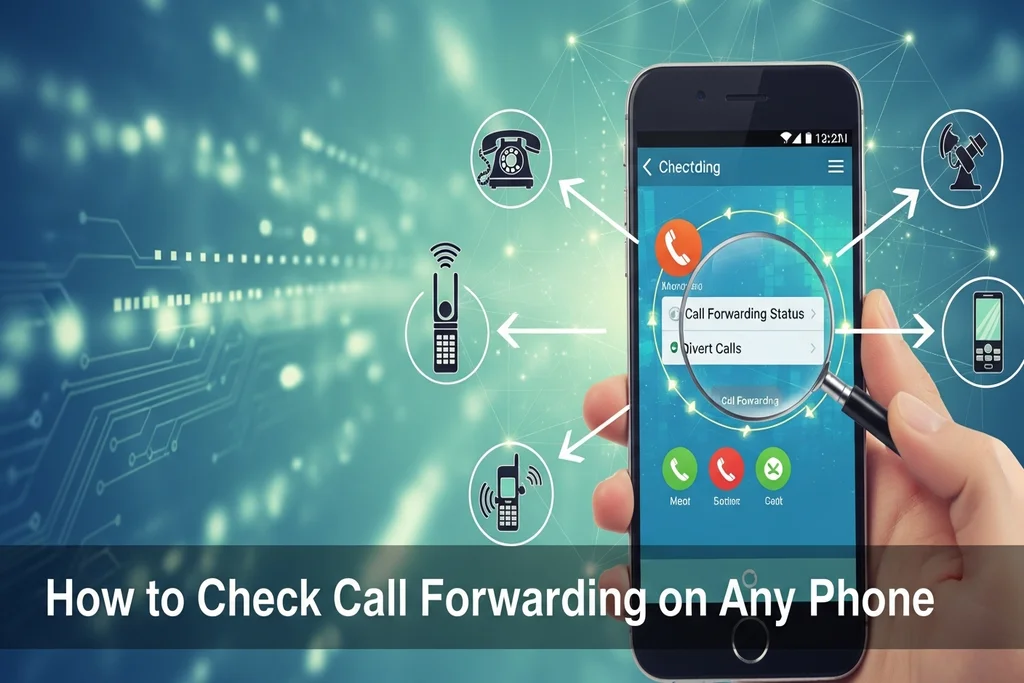
    Check Call Forwarding
    Share
    Facebook Twitter LinkedIn Pinterest Email

    Call forwarding is an important option to use whereby your incoming calls can be forwarded to a different phone. But there are times when users are not aware of this option being on their phone. Call forwarding can be checked easily and can be checked in various forms, which may be either with Android or with iPhone and even with older feature phone. Learning to verify call forwarding will make you know how your calls are handled, and you will not miss crucial calls.

    1. Check Call Forwarding Using MMI Codes

    MMI codes are the easiest and quickest method to check whether call forwarding is on your number active or not. With most networks, you just have to dial in the code of the phone, which is: *#21#. In a few seconds, a message will appear on your phone that will either confirm or deny you that your calls, messages, or data is being forwarded and to what number. The other code that comes in handy is *67# which displays the number that calls are diverted to when your line is occupied. These codes are applicable on the majority of telecommunicating operators in the world and would give an immediate update on the current position of call forwarding.

    2. Check Call Forwarding Through Phone Settings

    For Android Devices:
    Go to Settings → Mobile Network → Call Settings → Advanced → Call Forwarding. Here, you can see if any call forwarding is active, including when the line is busy, unreachable, or unanswered.

    For iPhone Devices:
    Open Settings → Phone → Call Forwarding. This section will display whether your calls are being forwarded and the number receiving your forwarded calls.

    Read Also:  Rs750 Prize Bond Winners Announced for January 15, 2026 Draw

    3.  Check Call Forwarding Using SMS Apps 

    Some phones allow you to check call forwarding through your messaging app by viewing the SMSC (Short Message Service Center) number. While primarily for message routing, this can also indicate network settings affecting call forwarding.

    4 Check Call Forwarding by Manual Testing

    In case you desire an easy way of verifying, call another phone and ask them to dial your number. When the call is redirected to a different number or voicemail, then it is an indication that call forwarding is on. Although not as technical, this approach is available on any device and does not need navigation using codes and settings.

    To make sure that your calls are being forwarded in the right way, it is important to check your call forwarding every now and then, and to avoid the problem of missing calls as a result of an honest mistake. Regardless of the codes, phone settings or the simple manual testing, turn on the forwarding codes to check the call forwarding, and have control over your incoming call.

    READ: More Informative Content

    Share. Facebook Twitter Pinterest LinkedIn Tumblr Email
    Previous ArticleToyota Fortuner Prices Reduced by Over PKR 25 Lacs :  Huge Discount Announcement
    Next Article How to Unsubscribe Zong Packages
    Iqra Sheikh
    • Website

    Iqra Sheikh is an education reporter covering EdTech, online learning, and national curriculum reforms. Her work explores how technology is reshaping education in Pakistan and the challenges and opportunities in modern learning systems.

    Related Posts

    Jetour T2

    Jetour T2 Unveiling in Pakistan: Specs and Price

    February 27, 2026
    Operation Ghazab lil-Haq

    Operation Ghazab lil-Haq: Pakistan’s Swift Military Response to Afghan

    February 27, 2026
    Punjab School Timings Ramadan 2026

    Punjab Announces School Timings for Ramadan 2026

    February 17, 2026
    Leave A Reply Cancel Reply

    Latest Posts
    whatsapp beta chat bubbles design

    WhatsApp Beta Introduces a Modern Chat Bubble Design for Android

    March 9, 20261
    digital insurance monitoring system

    Sindh Launches Pakistan’s First Digital Insurance Monitoring System

    March 9, 20260
    US Embassy Islamabad, visa appointments

    US Embassy Islamabad Cancels All Visa Appointments

    March 9, 20261
    practical exams marking rules

    Major Changes to Practical Exams Marking Rules in Punjab

    March 9, 20262
    Don't Miss

    Top 10 Hi-Tea Restaurants In Lahore For A Perfect Outing

    By Usman LatifMarch 14, 2025

    Lahore is a well-known city known for its huge food culture, & hi-tea has become…

    Top 5 places to Visit in Kashmir

    Top 5 Places to Visit in Kashmir

    April 5, 2025
    India Planning Military Action Against Pakistan Within 36 Hours Tarar

    India Planning Military Action Against Pakistan Within 36 Hours: Tarar

    April 30, 2025
    Stay In Touch
    • Facebook
    • Twitter
    • Instagram

    Subscribe to Updates

    Get the latest creative news from SmartMag about art & design.

    whatsapp beta chat bubbles design

    WhatsApp Beta Introduces a Modern Chat Bubble Design for Android

    March 9, 2026
    digital insurance monitoring system

    Sindh Launches Pakistan’s First Digital Insurance Monitoring System

    March 9, 2026
    US Embassy Islamabad, visa appointments

    US Embassy Islamabad Cancels All Visa Appointments

    March 9, 2026
    practical exams marking rules

    Major Changes to Practical Exams Marking Rules in Punjab

    March 9, 2026
    Popular

    Top 10 Hi-Tea Restaurants In Lahore For A Perfect Outing

    March 14, 2025
    Top 5 places to Visit in Kashmir

    Top 5 Places to Visit in Kashmir

    April 5, 2025
    India Planning Military Action Against Pakistan Within 36 Hours Tarar

    India Planning Military Action Against Pakistan Within 36 Hours: Tarar

    April 30, 2025
    India Suspends Indus Waters Treaty and Closes Attari Border After Pahalgam Attack

    India Suspends Indus Waters Treaty and Closes Attari Border After Pahalgam Attack

    April 23, 2025
    Latest News
    whatsapp beta chat bubbles design

    WhatsApp Beta Introduces a Modern Chat Bubble Design for Android

    March 9, 2026
    digital insurance monitoring system

    Sindh Launches Pakistan’s First Digital Insurance Monitoring System

    March 9, 2026
    US Embassy Islamabad, visa appointments

    US Embassy Islamabad Cancels All Visa Appointments

    March 9, 2026
    practical exams marking rules

    Major Changes to Practical Exams Marking Rules in Punjab

    March 9, 2026
    About Us
    About Us

    Pakistan Truth is your go-to platform for authentic insights into current affairs, entertainment, sports, and more, with a strong focus on the Pakistan region.

    Unveiling the truth, shaping perspectives—Pakistan Truth.

    Email Us: [email protected]

    Facebook Instagram TikTok RSS
    © 2026 PakistanTruth. All Rights Reserved.
    • About Us
    • Contact Us
    • Terms & Conditions
    • Privacy Policy

    Type above and press Enter to search. Press Esc to cancel.