




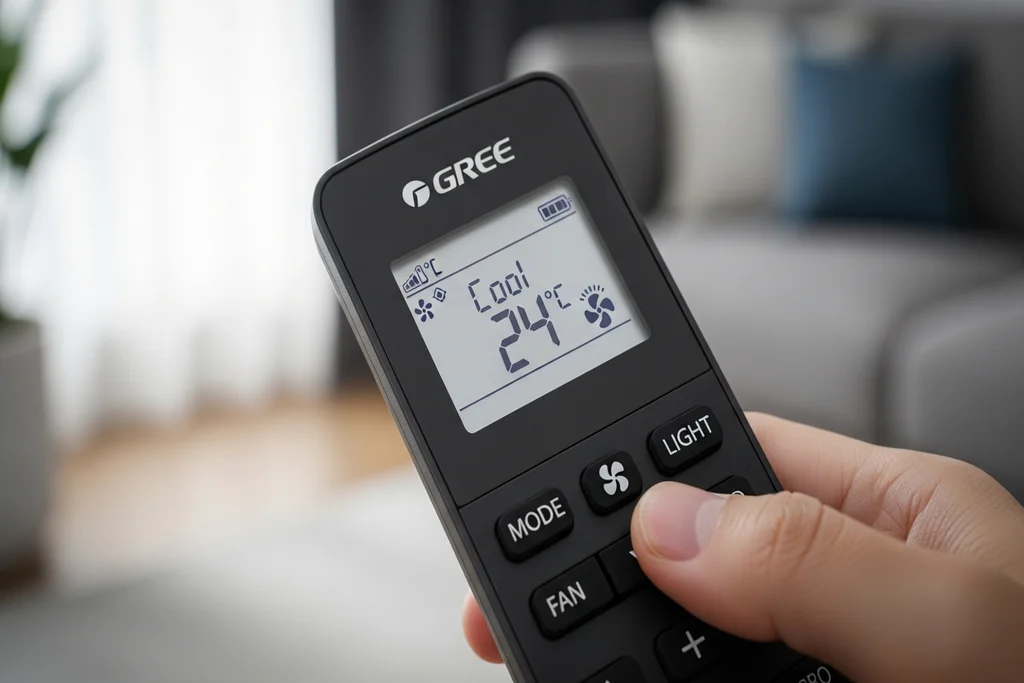
It is annoying to have a locked Gree AC remote, particularly when you are in urgent need to change the cooling settings. However, it is a good thing to learn how to use the Gree AC Remote Control. Gree remotes have a Privacy Lock in case of accidental button press, and the Lock can be unlocked in several seconds. This guide is a description of the lock, the unlocking procedure, trouble solving, and frequently asked questions in a straightforward way.
Understanding the Privacy Lock of Gree AC Remote
Gree AC remotes feature a Privacy Lock designed to stop unintentional changes in temperature, mode, or fan speed. This is particularly useful in:
- Homes with children
- Offices or shared rooms
- Hotels and rental units
When the Privacy Lock is on, the remote in question will not respond, a padlock icon appears in the remote screen. Whatever button you press can make the lock icon blink indicating that the remote is locked.
Recent models of the Gree will also work with Wi-Fi control, as the users can turn Privacy Lock on or off in their mobile application.
Unlocking Steps: How to Unlock Gree AC Remote?
Here are the universal steps that work on most Gree AC remotes:
Method 1: Standard Unlocking (Most Common)
- Press and Hold the Lock Buttons
Press the Up (▲) and Down (▼) buttons together. - Wait for the Lock Icon to Disappear
The padlock symbol on the display will vanish. - Release Both Buttons
Your remote is now unlocked. - Test the Remote
Try changing the temperature or mode to confirm it is working.
Method 2: Dedicated Lock Button (Some Models)
- Look for a padlock icon button on the remote.
- Press and hold this button for 3–5 seconds.
- Once the lock symbol disappears, the remote becomes active.
Method 3: Refer to Your Manual
Some older or region-specific models may use slightly different combinations. If the above two methods do not work, check the model-specific instructions in your user manual.
Troubleshooting Tips for Gree AC Remote
If your remote still does not unlock:
1. Check the Batteries
Weak or dead batteries cause display and signal issues. Replace both batteries and try again.
2. Clear Any Obstruction
Ensure there is no barrier between the remote and the AC indoor unit.
Gree remotes usually work within 26 feet distance.
3. Check If Privacy Lock Is Still Active
If the padlock icon continues to blink or stay on, try the button combination again.
4. Restart the AC Unit
Turn off the AC using the switch, wait 10 seconds, and restart. Then try unlocking again.
5. Remote Damage
If the remote was dropped or exposed to moisture, buttons may not work properly. In that case, replacement may be needed.
Read: More Technical News