




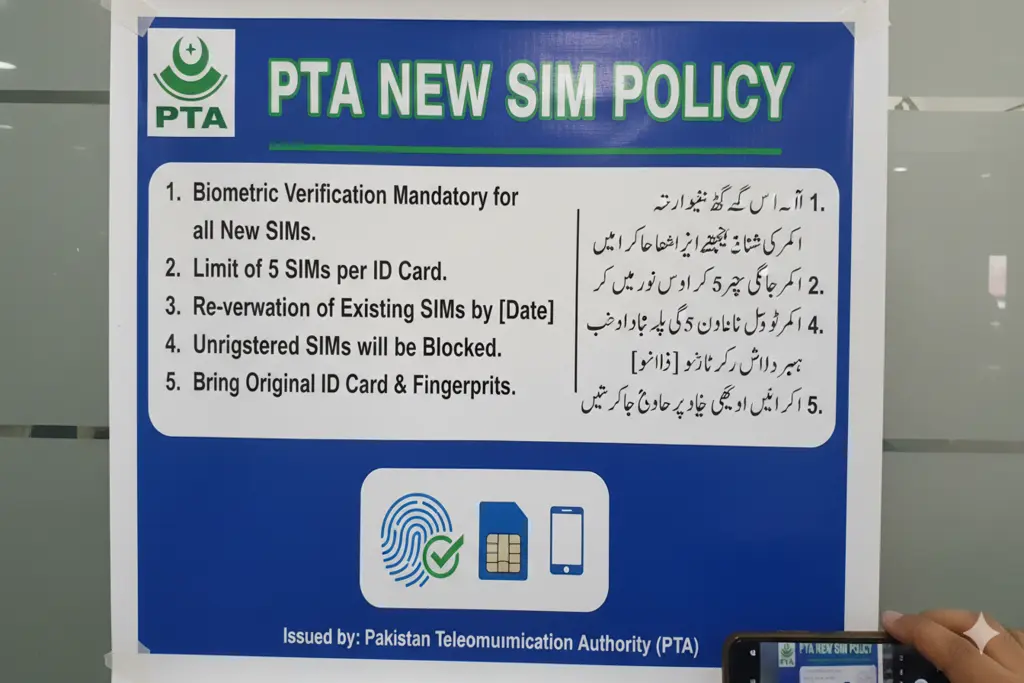
The Pakistan Telecommunication Authority (PTA) has come up with tougher measures to fight identity theft, illegal SIM card issuance, and financial scams. The PTA New SIM Policy has been updated to run for the disown and transfer of a SIM that has been biometrically verified for 1 full year (365 days). This implies that after activating the SIM card on the Computerized National Identity Card (CNIC), it is not possible to legally have it withdrawn, handed over or given to anyone for the next 12 months.
The ownership lock has been introduced to prevent the illegal retail agents and scammers from activating and using the same SIM with a fake thumbprint over and over again. If you think unauthorized numbers are associated with your name, you will have to confirm your profile and do something about it as soon as possible.
Why the PTA Extended the Lock-in Period
Users were previously able to reject an unwanted SIM card after 60 days. This brief timeframe enabled scammers to sign up several SIM cards using citizens’ names, use them for criminal purposes, and have them disavowed once and for all before being detected.
Since the launch of the PTA New SIM Policy, citizens should be very cautious whenever they are to be verified before purchasing a new SIM. As any new connection will be attached to your CNIC for one year, any criminal activity associated with that connection will make you legally liable. In addition, the PTA is also working to block connections that are connected to expired CNIC or dead persons to clean up the national database.
How to Check Registered SIMs on Your CNIC
You should first determine how many connections are actually registered under your name before blocking any. It is very easy to do this by two official methods:
Mobile Phone (SMS 668): Launch the SMS text messaging app on your cell phone. Write your CNIC number (13 digits) and send it to 668. An automated text reply will be sent to you indicating the number of active SIMs against your ID by each Operator (Jazz, Telenor, Zong, Ufone).
PTA SIM Information System Web Portal: Go online for a detailed and graphical description of the PTA SIM. Type your CNIC number to see Real-time SIMs count.
Step-by-Step Guide to Block Unauthorized SIM Cards
If digits are retrieved from 668 that are no longer used or are not recognized, they have to be terminated permanently. Do this step by step:
Identify the Mobile Network Operator
Record the name of the network operator that has the rogue SIMs. There is no single online place to delete the SIMs directly, so you’ll have to deal with the deletions network by network.
Visit the Nearest Customer Service Center
Visit the closest official store or Customer Service Center (CSC) of the relevant mobile network (Jazz or Zong store).
Present ID and Submit the Request
You must bring your original CNIC. Inform the representative that you wish to disown an unauthorized number under the PTA New SIM Policy. The agent will ask you to fill out a standard SIM disowning form and perform a live biometric thumbprint scan to verify your identity.
Pay Applicable Fees or Request a Waiver
If the SIM card was activated between 60 to 180 days ago, standard government-approved disowning charges of up to Rs. 200 per SIM may apply. However, if the SIM was issued illegally via fraud without your knowledge, you can demand a fee waiver. If the franchise refuses to approve the waiver, then submit a formal consumer grievance on the online PTA Complaint Management System to remove any charges from your record without penalty.
The processing time required for this system is around 24 hours to 48 hours and it removes the SIM from the national register permanently. In order to remain safe online, have your 668 records checked regularly, every few months.