


A used or second-hand mobile phone in Pakistan is an incredibly popular trend as it provides a practical way of purchasing top-notch mobile phone features at a much reduced price. Due to the abundance of smuggled, stolen and unverified phones available in the market, buying a second-hand phone has become a very risky investment. The Pakistan Telecommunication Authority (PTA) imposes strict regulations that only tax-paid, legal and registered devices are allowed to run on local cellular networks. If you are preparing to purchase any pre-owned device, you must proactively check mobile PTA status to ensure your investment does not end up as a useless brick.
How to Find Your Mobile Phone’s IMEI Number
Before you can run any verification through the official systems, you need the device’s IMEI (International Mobile Equipment Identity) number. This is a unique 15-digit electronic serial number assigned to every mobile slot. It can be located instantly by any of these simple methods:
Using USSD Code: Press the keypad dialer on the phone and enter #06#. The 15-digit IMEI number will appear on the screen as soon as you press the button (or two numbers for a dual-SIM device).
Under Device Settings: Go to the phone’s settings page, and choose About Phone or Status, and then scroll down to list the registered IMEI codes.
Physical Inspect: The IMEI number will also be found on the regulatory sticker on the back of the phone’s original packing box (or on the physical battery compartment of older phones).
3 Easy Ways to Check Mobile PTA Status Online
The PTA launched the Device Identification Registration and Blocking System (DIRBS) to help consumers easily verify phone profiles. You can check any device instantly using these three official channels:
1. The Official PTA Web Portal
You can check the device status from any mobile or desktop web browser:
Open the official PTA DIRBS Web Portal.
Type the 15-digit IMEI number into the designated search bar.
Click Check or Submit to view the live legality status of the smartphone.
2. The DIRBS Mobile Application (DVS App)
For inspecting an Android device:
Install the DVS (Device Verification System) app from Google Play Store.
Open the application and type the IMEI number in, or scan the bar code found on the box using the app’s camera.
The application will instantly output the network compliance report.
3. SMS Verification via 8484
If you do not have an active internet connection while standing inside a mobile market, you can use the SMS service:
Open your mobile messaging app.
Type your 15-digit IMEI number into a blank message text.
Send the text message directly to 8484. You will receive an automated compliance reply within a few seconds.
Understanding PTA Verification Status Messages
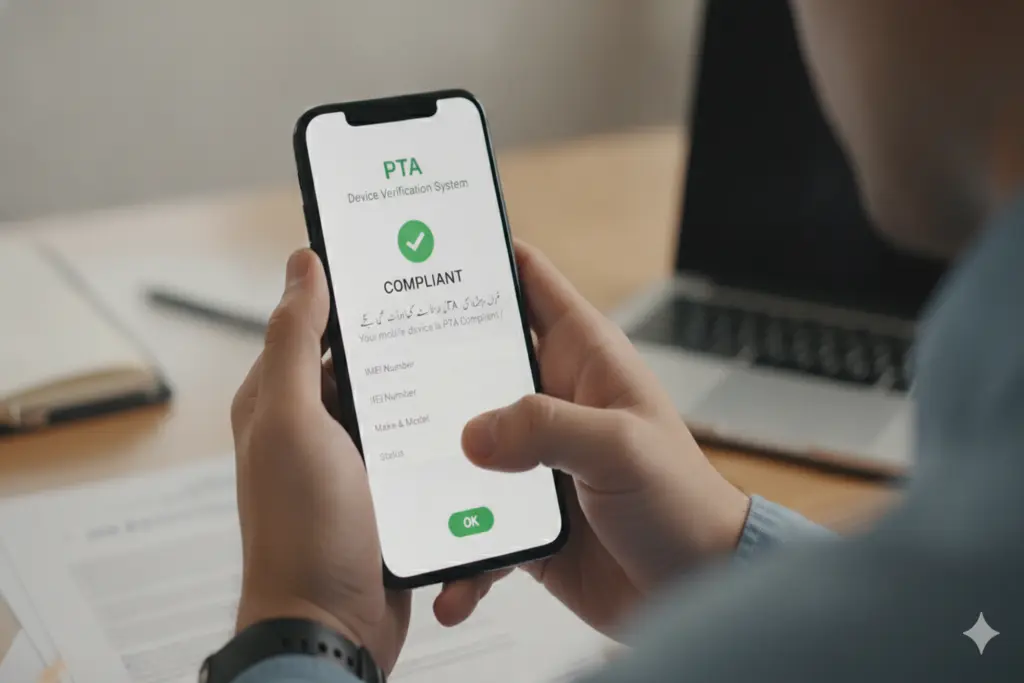
If you verify a device by using the web, app, or 8484, you will get one of the following compliance statuses:
Compliant (Approved): This means that the cell phone is fully approved by the PTA, all customs duties have been paid, and all network SIM cards work forever. This is a 100% safe product to buy.
Non-Compliant: This means the device is not approved, but there is a SIM slot (or SIM) activated temporarily. Generally speaking, these phones have a bit of a grace period, during which they will pay the relevant taxes and registration fees, after which they can be cut off completely.
Blocked: The device is the PTA’s blacklist or permanently blocked because of customs evasion, duplication, theft or illegal smuggling. Never purchase a blocked used phone.
The only foolproof way to avoid getting scammed in the secondhand mobile market is to manually check mobile PTA status yourself before handing over any cash. Never rely on the verbal assurances or promises of mobile dealers or online sellers. Take 60 seconds to use the 8484 SMS tool or the DIRBS web portal to protect your hard-earned money from being completely wasted on an illegal device.