



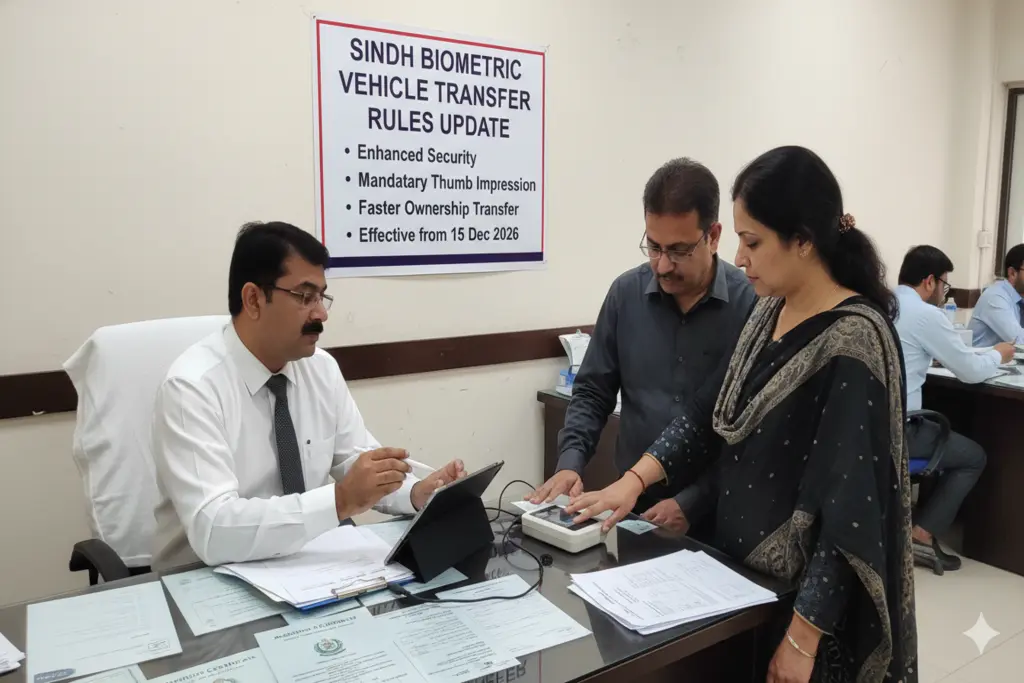
In a significant transformation, the Sindh Excise, Taxation, and Narcotics Control Department (EDTNDC) has modernized the process of transfer of ownership of vehicles by completely digitising the operations of biometric verification systems in partnership with the National Database and Registration Authority (NADRA). This is a substantial upgrade from the earlier need to wait in extensive lines at government departments to process the identity verification of its customers, with users buying and selling identities on their smartphones without any hassle.
Furthermore, to accommodate the millions of open-transfer-letter owners who cannot trace their previous sellers, the Sindh government has provided a major window of relief: an extended amnesty allowing vehicle transfers without the seller’s biometric verification, active until June 30, 2026.
Step-by-Step Guide to Online Biometric Verification via NADRA Pak-ID App
If you have the seller readily available, you can bypass the physical Excise office entirely for identity verification by executing the transfer digitally. Both parties must utilize a smartphone equipped with a functional camera.
Initialize the Profile (Seller’s Action)
- Download and install the official NADRA Pak-ID App from the Google Play Store or Apple App Store.
- Register an account using your CNIC, mobile number, and email, then log in.
- On the dashboard, navigate to the Government Services section and select Vehicle Transfer.
- Enter your vehicle registration details. Tap Verify Applicant Facial to complete a live facial scan using your front camera.
- Tap Verify Applicant Fingerprints and hold your hands behind your rear camera lens as guided by the screen to capture your biometrics.
- Input the buyer’s CNIC number. Upon submission, the app will generate a secure Tracking ID and a unique PIN Code. Share these with the buyer.
Accept and Complete (Buyer’s Action)
- The buyer must log into their own Pak-ID App profile.
- Select Vehicle Transfer under Government Services and enter the Tracking ID and PIN Code received from the seller.
- The buyer will follow the same onscreen prompts to perform their facial verification and contactless finger-scanning.
- Select Pay Now inside the application interface. The system supports instant electronic fee settlements via JazzCash, EasyPaisa, the Raast gateway, or any standard debit/credit card. Once processed, download your digital biometric verification slip.
How to Transfer Ownership If the Seller Is Missing or Untraceable (Special 2026 Rule)
If the individual who originally sold you the car has passed away, moved abroad, or is completely unreachable, you can legally claim vehicle ownership under the temporary relaxation scheme running through June 30, 2026.
To complete this specific track, follow these alternative compliance steps:
- Submit a Formal Case: Visit your local Motor Registration Authority (MRA) office and submit an official written request detailing why the seller is unavailable. Attach the original registration book/smart card and the sales purchase agreement.
- Publish a Public Notice: The applicant must publish a public legal notice regarding the ownership transfer in at least one major national daily newspaper. This allows a 15-day window for anyone to raise a legal objection to the vehicle’s transfer.
- Furnish an Indemnity Bond: The buyer must execute and submit a legal affidavit stamped on a judicial stamp paper, explicitly declaring that they will absorb all legal and financial liabilities if a third-party ownership claim surfaces in the future.
- Physical Inspection and Buyer Biometric: Bring the car to the designated Excise yard for physical verification of the engine and chassis numbers. The buyer must then mark their own biometric print at a NADRA counter. Once the 15-day notice period lapses without objections, the Director of Excise will formally approve the unilateral transfer.
Verification After Transfer
Once you have finalized your biometric steps and paid the required transfer levies, you can track your updated registration file status online. Visit the official MTMIS Sindh Online Verification Portal and input your vehicle identification characters. Once the database updates, the new owner can pick up their printed, tamper-proof vehicle smart card.




4 Comments
Pingback: Sovereign Network Secured via PTA Travel SIM eSIM Mandatory Registration Mandate
Pingback: Sovereign Action Mandated via PM Shehbaz KP Counter Terrorism Commitment
Pingback: Pakistan Oman Maritime Economic Valuable Partner | Pak Truth
Pingback: Pakistan Indian Flights Airspace Ban Extension