



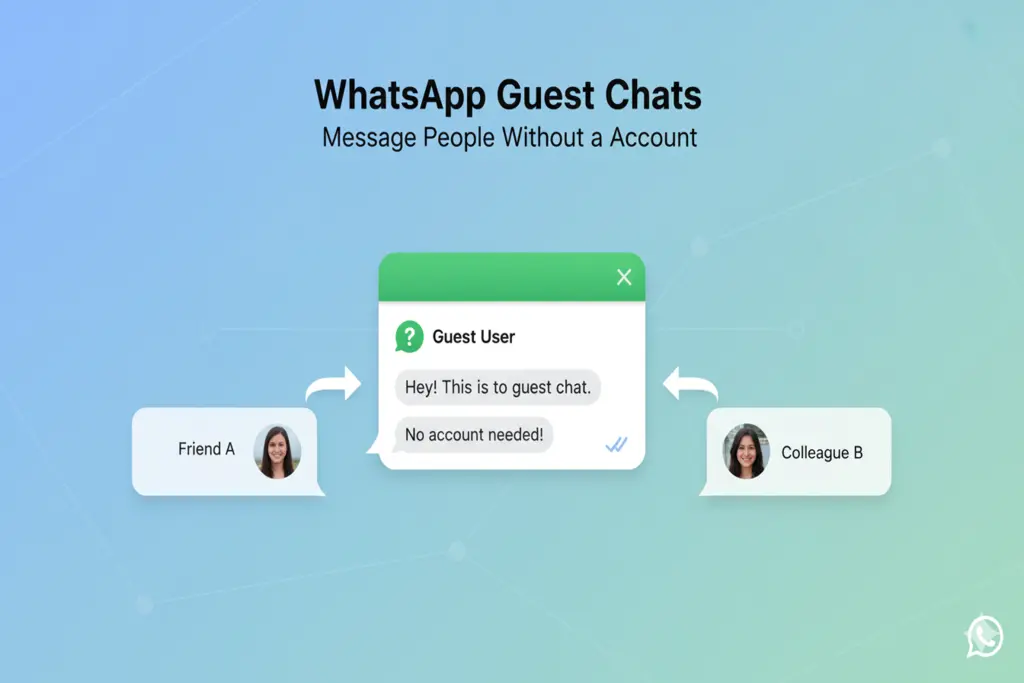
WhatsApp is dismantling the barriers of its message platform. A new feature called Guest Chats is being developed in a colossal change to the most popular messaging app in the world. The feature will eventually enable WhatsApp customers to use the feature to chat with individuals who do not have a WhatsApp account or the application installed on their gadgets.
This feature, as spotted in the WhatsApp beta on Android (version 2.25.22.13) is intended to ensure its cross-platform communication is free of forced contacts making them join the platform. This is where the explanation of the way it operates, its security aspect, and its present limitation is drilled down.
How WhatsApp Guest Chats Work
The main premise of Guest Chats is to facilitate a non-user conversation without them having to install an additional application. The algorithm is completely link-based:
Sending the Invite: To send an Invite the user can create an Invite link inviting someone to a guest chat in the Invite a friend section and the bottom of their contact list.
Sharing the Link: The link may also be shared through SMS, email, and any other messaging service.
Joining the Chat: The recipient may either download the WhatsApp or just on the link proceed to become a Guest. The option of the guest opens a conversation in a browser through WhatsApp Web.
Identification: To join, guests are required to use their name (or nickname), and the inviter will be able to see his or her phone number.
WhatsApp is rolling out guest chats on Android and iOS!
— WABetaInfo (@WABetaInfo) March 16, 2026
With guest chats, users can create invite links to start conversations with people who do not have a WhatsApp account.https://t.co/eC4IEdEtjm pic.twitter.com/TTGsNja1zU
WhatsApp Guest Chats Security
Although the guest is off-platform, WhatsApp is not sacrificing its level of security.
End-to-End Encryption: 100 percent chat encryption of guests. WhatsApp Web will create an encryption key when a guest is added by using a special identifier.
Checking: The messages can be read by the participants only. Any user is able to take a confirmation of the encryption through a QR or security code, as in a standard chat.
WhatsApp Guest Chats: Features vs. Limitations
While this is a major step forward, Guest Chats are designed for simple text communication and come with several restrictions during the beta phase:
What You CAN Do
- Send and receive end-to-end encrypted text messages.
- Chat via mobile or desktop browsers.
- Block guests just like regular contacts.
What You CANNOT Do
No Media Sharing: You are not able to send pictures, videos, documents and GIFs.
No Voice/Video: There are no voice messages, stickers, and voice/video calls.
No Groups: Guest chats are one-on-one communication.
Manual Checks: Push notifications will not be available to the guests, and they will have to check the browser manually to receive new messages.
Expiry Date: A guest chat must expire after 10 days of no activity. Once that is done a new connection should be made.
WhatsApp Guest Chats Availability
Guest Chats has been tested on a small scale to Android beta and iOS beta users. WhatsApp has yet to declare any official date when it will be rolled out on a global scale, though it will most likely be distributed to people when the testing period will be over.
Can I message someone on WhatsApp if they don’t have the app?
Yes, with the new “Guest Chats” feature, you can send them an invite link that allows them to chat with you via their web browser without installing the app.
Are guest chats on WhatsApp secure?
Yes, guest chats use the same end-to-end encryption as regular WhatsApp messages, ensuring that only the participants can read the conversation.
Do WhatsApp guest chat links expire?
Yes. If there is no activity in a guest chat for 10 days, the session expires, and a new invite link must be created to continue.
READ: More tech news