


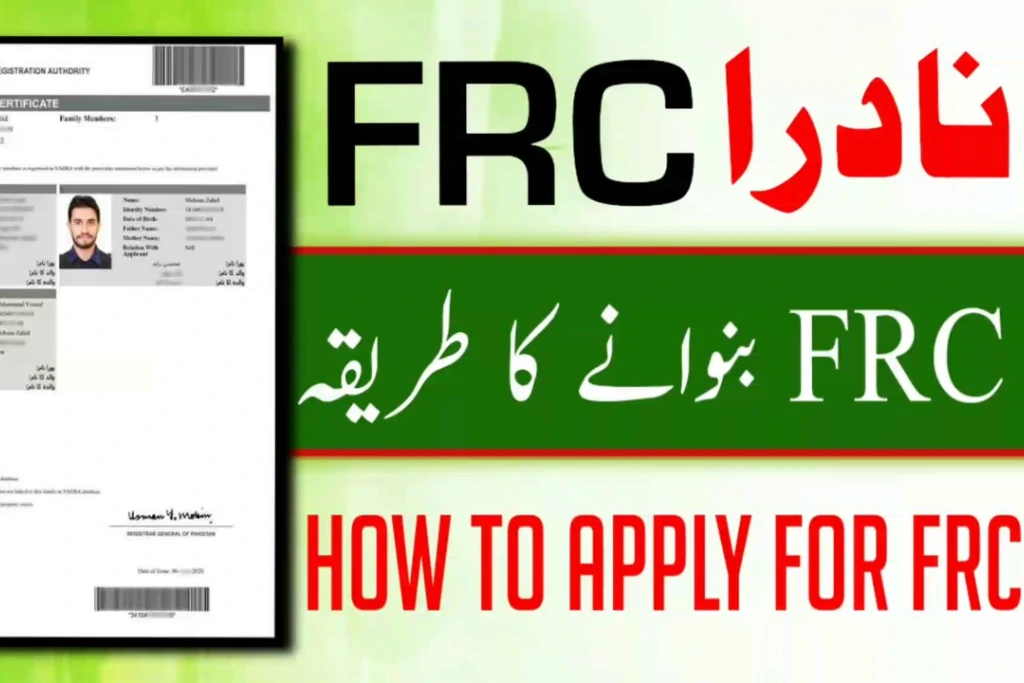
Guidelines have been issued regarding Family Registration Certificates (FRC). The guidelines specify different categories of Family Registration Certificates, the requirements of children’s photographs and how to apply for an FRC digitally or in person. The guidelines were published on 19th November 2026. Any citizens who are registered on NADRA’s national database can apply for a Family Registration Certificate so that they can prove their family structure to obtain Immigration Status, Sponsor Visas, Inherit, Open Bank Accounts and Complete Government Documentation.
Understanding the Four NADRA FRC Categories
Because every applicant requires proof of different familial relationships depending on their legal or administrative needs, NADRA issues the Family Registration Certificate across four specialized classifications:
| FRC Category | Covered Family Members | Common Use Cases |
| 1. By Birth | Includes the applicant alongside their biological parents, brothers, and sisters. | Student visas, parental sponsorship, and verifying sibling relationships for inheritance or official records. |
| 2. By Marriage | Covers the applicant alongside their legally registered spouse (or spouses) and children. | Spousal immigration visas, dependent family permits, health insurance, and banking nominations. |
| 3. By Adoption | Lists individuals registered under formal legal guardianship or court-verified adoption records. | Legal custody verification, dependent travel documentation, and educational admissions. |
| 4. Combined Family | Consolidates all registered family members across birth and marital ties into one comprehensive record. | Complex succession cases, multi-generational family visas, and unified legal family tree verification. |
Before applying under any of the above categories, you must make sure that all family members enlisted under the application are already registered in the NADRA database. They must also have a valid 13 digit Computerized National Identity Card (CNIC) or National Identity Card for Overseas Pakistanis (NICOP) or Child Registration Certificate (CRC/ Form B).
Mandatory Child Photograph Rule for Minors Under 18
If children under 18 years old are applying for an FRC and the child’s Form B (Child Registration Certificate) does not include a photograph, then the child must attend with their parent/guardian. This allows registration officers to take a real life photo of the child to be added to NADRA’s system. Doing so will ensure inaccuracies do not occur when applying for passports or visas at overseas embassies.
Step-by-Step Guide: How to Apply via the Pak ID Mobile Application
To quickly apply for an FRC from home, citizens can apply digitally via the Pak ID App:
Download and Login: Download the Pak ID App on your Android or iOS device and create an account or login with your existing account. Enter your valid CNIC or NICOP to login.
Apply for FRC: Once logged in, head to Identity Services and select Family Registration Certificate.
Select Type of FRC & Enter Family Member Info: Under Family Registration Certificate options, select the relevant category (By Birth / By Marriage / By Adoption / Combined Family) for your FRC. Enter the CNICs or Form Bs of the family members you wish to list in your FRC. The information will automatically be pulled up.
Take Biometric Information & Photographs: Take a real time photo of your face, and complete fingerprint verification, following the prompts on your mobile phone.
Payment & Download FRC: Carefully check the family hierarchy preview to ensure there are no spelling mistakes, or incorrect dates of birth. Pay the relevant fees using Credit/Debit Card, e-Sahulat or mobile wallet. Once paid, download your PDF Family Registration Certificate.
How to Apply at a Nearest NADRA Registration Center
Those wishing to apply in person, or parents wishing to add a photo to a child’s missing Form B in one application, can apply at NADRA Registration centres:
Prepare Documents: Bring your original CNIC/NICOP, and photocopies of everyone in your family’s CNIC/Form B’s. If updating information, also bring Marriage/Guardianship Certificates.
Queue for Service: Go to your nearest NADRA centre within opening times. Collect a queue number from the front desk. Wait for your turn at the data entry desks.
Enter Data & Take Photos: Tell the operator which type of FRC you require. Check the details of all family members on the screen. If you have brought a child with you, a photo will be taken.
Payment & Receipt of FRC: Pay the relevant fees at the cash desk. Collect your printed Family Registration Certificate.
Official Helpline and Verification Support
Before applying, it is advised to check that your marital status and children’s births are correctly linked in NADRA to ensure accurate family hierarchies. For instant help, queries about fees, or technical help with the Pak ID app, call NADRA on 1777 (from mobiles and internationally, dial +92-51-111-786-100). Alternatively, visit NADRA’s website. (www.nadra.gov.pk)
Explore More :
Which New Domestic Flight Route Connects KP and Punjab? Find out how South Air’s direct Peshawar-to-Lahore flight service reduces inter-provincial travel times and expands local airline choices.
How Does PIA’s New Private Ownership Affect Existing Tickets? Look into the 100% ticket validity guarantees, 7-to-10-day digital refund timelines, and fleet expansion plans following PIA privatisation.
When Will Commercial Flights Resume From Southern KP? See the runway upgrades, night-landing facilities, and direct Karachi and Islamabad flight schedules following the D.I. Khan Airport reopening.
Which Countries Can Pakistanis Visit Without a Prior Embassy Visa? Uncover the complete visa-free, visa-on-arrival, and eVisa destination lists alongside travel tips based on the Pakistan Passport Ranking 2026.
How Much Does the Government Hajj Scheme Cost This Year? Check out the official PKR 1,075,000 to PKR 1,175,000 package expenses, short Hajj options, and sponsorship rules in the Hajj Cost Breakdown 2026.