




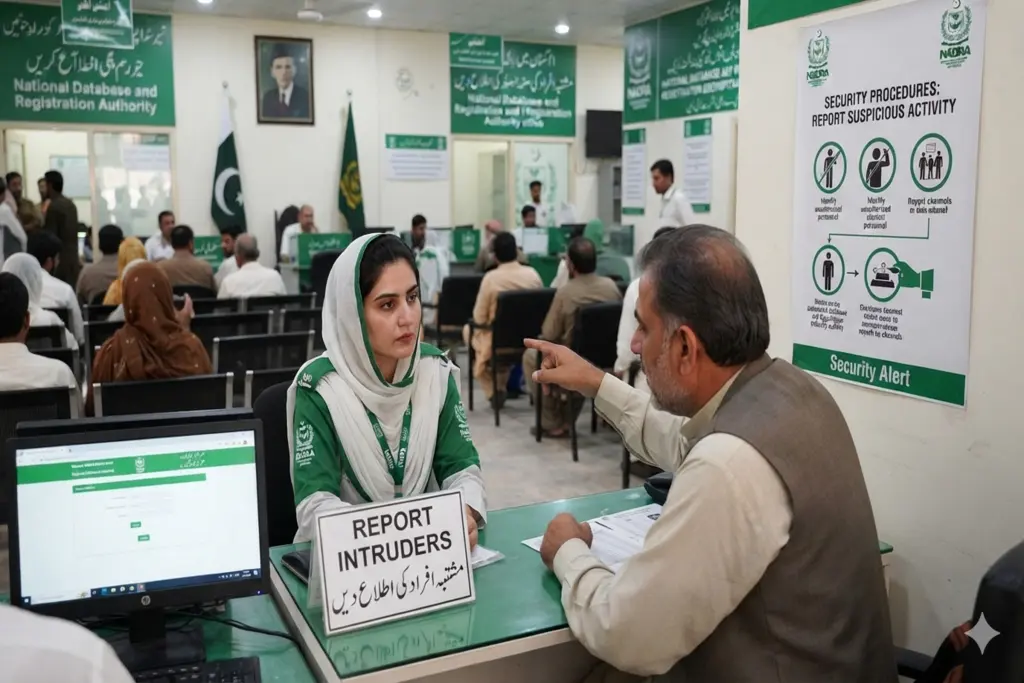
Finding an unknown person registered under your family tree is a serious security threat. Sometimes, identity thieves or illegal immigrants try to be associated with a valid Pakistani family to get the Computerized National Identity Card (CNIC).
Fortunately, there are strong digital solutions to combat this fraud provided by the National Database and Registration Authority (NADRA). The official Pak ID mobile app and SMS services will make it easy to confirm your family tree and immediately report any “intruders” from the comfort of your own home.
What is a NADRA Family “Intruder”?
An intruder is any unrelated or unknown individual who has been illegally or mistakenly registered under your family head’s CNIC. This often happens when fraudulent agents use stolen document photocopies to register illegal immigrants.
If left undetected, an intruder can:
Claim legal rights to your family assets.
Involve your family in state security investigations.
Damage your family’s legal profile during official passport or visa processing.
Verify Your Family Tree (FRC)
Before reporting, you need to check who is actually registered in your family. NADRA provides two fast ways to do this.
Method A: Via the 8009 SMS Service
Open the SMS app on your NADRA-registered mobile phone.
Type your 13-digit CNIC number (without any spaces or dashes).
Send the text to 8009.
You will receive a reply listing all family members registered under your family tree.
Method B: Via the Pak ID App
Download and log into the Pak ID mobile application.
Tap on the Family Composition section to view a complete, live visual list of your relatives.
How to Report an Intruder Using the Pak ID App
If you discover a name on your list that is not yours, use these step-by-step instructions to immediately report them.
1. Download and Authenticate
Get the official Pak ID application on the Google Play Store or Apple App Store. If you have not registered an account, you can register with your CNIC, mobile number and biometric finger scan.
2. Access Family Composition
After logging in to the dashboard, go to the tab “Family Details” or “Family Composition”. This tool will show you your current Family Registration Certificate (FRC) information.
3. Select the Unknown Individual
Select the desired parent, sibling, child or spouse in the list. Find the intruder’s name and directly click on their profile.
4. Submit the “Report Intruder” Form
Scroll to the bottom of the individual’s detail page. You will see a dedicated button labeled “Report Intruder”. Click it, state that this person is unknown to your family, and submit the alert.
What Happens After You Report an Intruder?
Once you flag a name, NADRA’s verification framework shifts into action to secure your identity.
System Freeze: The flagged individual’s profile is immediately marked as “Suspect” or “Under Verification” in the central database.
Official Contact: A NADRA representative will contact the family head via your registered mobile number to confirm the details.
In certain cases, the family head may be required to go to the nearest Zonal NADRA Registration Center (NRC) and make a formal statement which is called Physical Verification.
CNIC Blocking & Removal: If the person fails to establish biological connection with your family, his/her CNIC will be blocked forever, and his/her name will be removed from your family tree.
Essential Data Protection Tips
To prevent identity thieves from infiltrating your family tree in the future, follow these strict document habits:
Never leave physical photocopies of your CNIC with unverified local mobile sim vendors or unauthorized agents.
Cross out unused photocopies by writing the specific purpose on top of the copy (e.g., “For SIM verification only”).
Check your 8009 SMS status at least once a year to ensure no new names have been secretly added.
For immediate help or technical support regarding a blocked account or an intruder report, you can dial NADRA’s official helpline at 1777 from any mobile network in Pakistan.